|
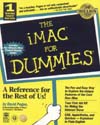 This is the first Dummies book I've ever read, and I had high
hopes of it. I am a partial nerd (dreaming in HTML and happy
with FTP etc.), but until I bought my iMac I had never ever
used a Mac of any kind before, and there are basic things
I have still to learn.
This is the first Dummies book I've ever read, and I had high
hopes of it. I am a partial nerd (dreaming in HTML and happy
with FTP etc.), but until I bought my iMac I had never ever
used a Mac of any kind before, and there are basic things
I have still to learn.
Sure I've grown up with Commodore PETs, Sinclair Spectrums,
MS-DOS, Windows3.1 and Win95, and on plugging in my iMac I
was confronted with a fairly familiar windows environment,
but I found that the good people at Apple computer take a
great deal for granted. They think their machine is so easy
to use it needs no documentation, for one (hence the need
for a book like this).
Apple
also make infuriating reference in the troubleshooting guide
to the 'option' key. Now, on my iMac at least, there is no
button marked 'option'... and even though I've been told by
Mac-owning friends that the Option key is the Alt key with
the zig-zaggy line, between 'Control' and the Apple/Four leaf
clover key, I keep forgetting this. At least this Dummies
book would get me straight once and for all on this...
WRONG!
On page 34 of The iMac for Dummies the Option key makes
its debut: "in addition to the shift key, one says option,
one says Ctrl...". No it doesn't! Perhaps all old Macs had
'Option' written on this key, but bearing in mind this book
is aimed at people new to computers let alone Macs, I find
this kind of assumption by Mac-heads a) infuriating and b)
almost universal.
My
Option key bugbear aside, the rest of the book does contain
nuggets of useful info, such as how to avoid the CD autoplay
virus and how and why you need to rebuild the desktop. It
is rather US-orientated, however, devoting sections to the
bundled software us peasants in the UK didn't get, and in
a side-panel on printers it says "Why have America's scientific
geniuses invented all these different kinds of printers?"
- well I'd always imagined Japan to be at the cutting edge,
at least when it comes to inkjet printers, but what do I know?
All the support numbers quoted in the book are North American
ones and much of its internet section is devoted to America
Online; as for using an ISP it just says you should get your
ISP to tell you how to configure your iMac - not bad advice
but then why bother buying a book like this?
I'd
have like to have seen something on configuring Outlook Express
for multiple mailboxes, for example. It's good that the book
mentions one of the great hazards of going online - junk e-mail
or spam. However, I'm not sure that the suggested solution
is good enough - using a seperate mailbox on web pages and
posts to newsgroups. After all, you still have to download
all that junk mail, even if you can keep it apart from your
personal mail.
The
section on ditching unnecessary control panels and extensions
is interesting - after all unused extensions do slow down
the booting up of you iMac and can cause conflicts which make
a dreaded crash and fumble for the paperclip more likely.
I do wonder, however, if Mr Pogue is a little gung-ho in suggesting
that you actually trash unwanted extensions... okay, you do
save hard disk space as well that way, but I imagine you'd
have to do a clean install to get them back. And trashing
all your networking extensions might seems like a good idea
now, but in the wise words of Mr Pepperman, 'you may not want
them now, but who knows what the future holds!' Your iMac
may end up in a networked environment one day, and should
your playful plastic pal go badly wrong one day you may need
someone to sniff up its ethernet port (if you'll forgive the
canine imagery) in order to retrieve that last chapter of
your novel that you didn't have time to back up. So,
I'd have thought just turning unwanted extensions off is a
much better bet than trashing them - if anyone would like
to comment on this I'd be grateful!
The
book was quite amazingly up-to-date, including clearly labelled
sections on OS 8.5, and the section on peripherals mentions
that Syquest has gone bust. One of the peripherals is a transparent
blue power surge protector, widely bundled with iMacs in the
US, which says a lot about life in the US - along with the
transparent blue handgun bundled with the iMac in many states.
(I may have made that last bit up, as Simon Hoggart would
say).
In
an attempt to be really future-proof it refers to AppleWorks
throughout, whereas it was still ClarisWorksat the time of
publication ...and speaking of ClarisWorks, there's a bit
of a boo-boo in its description of the Drawing application.
It says the tool buttons are 'pretty much covered in the section
on drawing programs in the preceding chapter' - um, I think
this is the chapter on drawing programs, Mr Pogue! Perhaps
this betrays a bit of a cut-and-paste job on one of his previous
Mac books...
Pogue's
sense of humour might grate as well (he's rather too fond
of the word 'doodad', if you ask me), but some of the jokes
are well-aimed and the screenshot of Microsoft Word with all
the button bars switched on is hilarious - there is just about
enough room in the middle of the screen to see 4 lines of
text.
All
in all, a good book for the complete novice, and if you're
fluent in Windows95 but have never touched a Mac before -
that means you! I wish I'd had this book in Autumn 1998...
|