
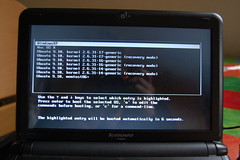
(behold my – working! – boot-up options, using the old-skool classic GRUB bootloader)
I’ve given up trying to get the audio to work on OS X on my IdeaPad’s msiWindOSX install. Could not get Audieee to work. A 10.5.5 update trashed the OS. I re-installed msiWindOSX and the fricking Terminal app wouldn’t run! I think a retail copy of Snow Leopard might be the way to go.
A colleague and I last night both reminisced on how much time we had spent getting out Bondi Blue iMacs to sync with out Palm Pilots by infra red. We reckoned about 2 weeks’ work. Some things are just not worth the effort. Besides, the current versions of Spotify and WINE play nice, so I can use my free Spotify account in Ubuntu!
Anyway, here’s a list of what I’ve tested and does work in msiWindOSX on a Lenovo S10-2:
- Screen, including brightness function keys.
- Wifi – with a little patch
- iTunes to manage my Mac-formatted iPod – but there’s no audio though, and I had to download new versions of QuickTime and iTunes to work with my iPod Nano
- Adobe Illustrator CS
- Webcam in iChat – but not in PhotoBooth
- The SD card reader slot works a treat – OS X can natively handle Nikon RAW NEF files, so OS X could be a useful tool for photography.
- FlickrUploadr
- Trackpad – but no gestures or 2-finger strolling
- Networking with other Macs over wifi (ethernet is not supposed to work but I’ve not tested it)
- USB devices such as memory sticks and Microsoft optical mouse
- TillyPaint!
Not yet tested:
- Bluetooth
- Ethernet (not expecting this to work)
- External VGA monitor
Didn’t you test it with the s10 enabler?
Pingback: Twitter Trackbacks for OSX on a Lenovo Ideapad S10-2 - again at Blog My Wiki! [suppertime.co.uk] on Topsy.com
Hi – do you mean the Snow Leopard enabler? I’ve been using Leopard so far, and Snow Leopard with the enabler is next on my list to try.
The most easiest laptop in the world to install snow leopard on it is the S10.
1-Just restore you snow leopard DVD to an external drive through disk utility in your OS X
2-Install S10 Enabler into that partition.
3-Install snow leopard from here.
If you don’t have a mac you can follow this
1-Burn snow leopard to a DVD
2-Install it.
3-Install the enabler and restart
*Don’t forget to update to the latest bios before anything! :D Bluetooth work and everything I think except the LAN.
Thank you q8pahntom – got it working that way now with the S10 Enabler and a £25 retail copy of Snow Leopard. Seems to work really well. Not sure I need Windows or Linux at all now :-)
Hi. Can you please write, how you did GRUB to boot Mac OS? I have one partition with Ubuntu and GRUB installed, and second with Mac OS. GRUB recognized Mac OS, but boots into it only if make it’s partition active.
I had to install an older version of Grub to get OS X to boot – but I’m not using Grub (or Linux) anymore, just using OS X and WindowsXP using the Darwin bootloader.