I had one of these cheap 16 x 2 LCD display modules hanging around that I bought to go with some Arduino or Raspberry Pi project that I never finished – in fact I couldn’t get the thing to work at all.
So I’m delighted to have got it working with a micro:bit! Here’s what I used:
- 16 x 2 LCD module
- medium-large breadboard
- a whole heap of jumper wires, some male-male, some male-female
- a BBC micro:bit
- a Kitronik micro:bit breakout board
- a 5V power supply
- a 1KΩ resistor
I used this project as the basis, which includes a Python program to drive the display (registration required). You don’t need to download MicroPython to program a micro:bit, you can use the online editor – the beta Python editor will even allow you to flash programs straight to your micro:bit over webUSB if you’re using Chrome.
The wiring diagram isn’t very clear on that website, so here’s a list of all the pins on the LCD display and what you need to connect them to:
| LCD pin | LCD function | connect to |
|---|---|---|
| 1 | GND – 0v | GND on micro:bit & -ve 5v |
| 2 | 5v in | +ve 5v |
| 3 | Contrast | GND via a resistor |
| 4 | Register select | micro:bit pin 0 |
| 5 | Read/write | GND |
| 6 | Enable | micro:bit pin 1 |
| 7 | Data DB0 | not connected |
| 8 | Data DB1 | not connected |
| 9 | Data DB2 | not connected |
| 10 | Data DB3 | not connected |
| 11 | Data DB4 | micro:bit pin 8 |
| 12 | Data DB5 | micro:bit pin 12 |
| 13 | Data DB6 | micro:bit pin 2 |
| 14 | Data DB7 | micro:bit pin 13 |
| 15 | Backlight +ve | +ve 5v |
| 16 | Backlight GND | -ve 5v |
I tried driving the whole thing off the 3v supply on the micro:bit, but it didn’t work – I think you really do need an external 5v power supply as there has to be a bigger difference in voltage between the power in and the contrast pin (although perhaps someone can do something clever with this information?) I didn’t have one to hand, so I chopped an old USB lead in half, and stripped the wires back to get 5v off the red (positive) and black (negative) wires, which I connected to the +ve and -ve (GND) rails on my breadboard.
Normally you’d use a potentiometer to adjust the contrast, but I just used a 1KΩ resistor instead.
You’ll see in the video that I added a little switch as well to turn the backlight on and off and you’ll see below I found an old volume control or something which I’ve pressed into service as a contrast knob on my maximum / minimum temperature display:
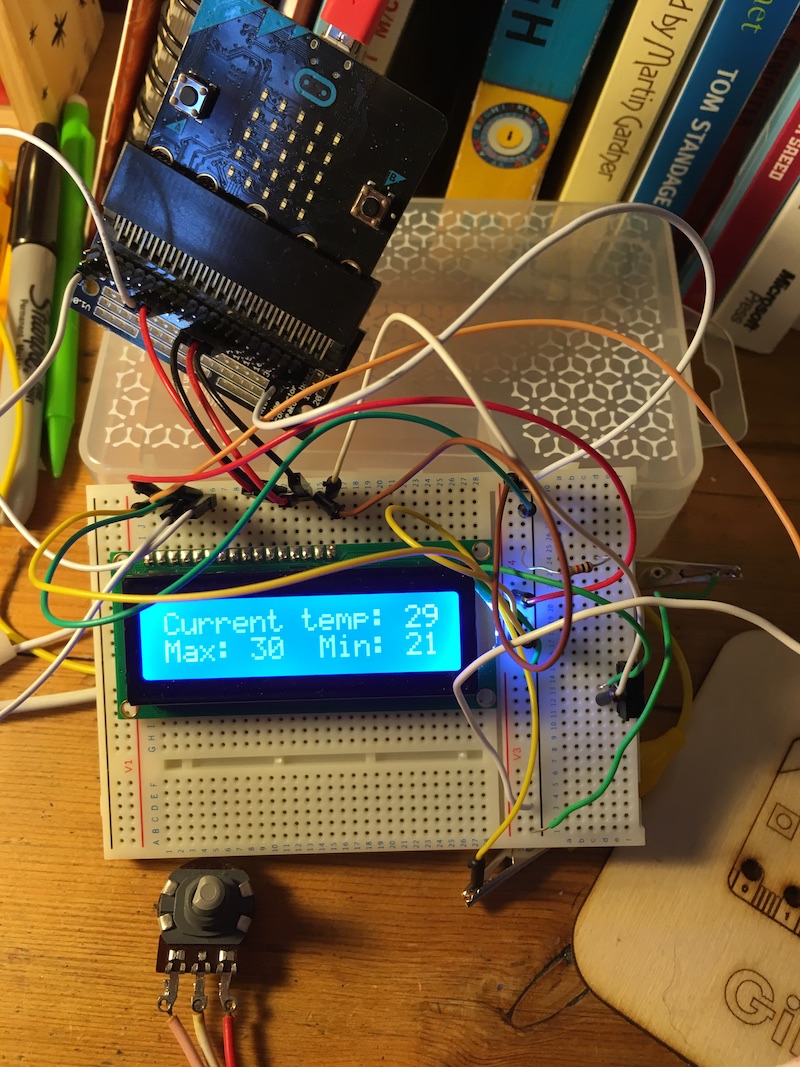
Here’s the Python program that does the temperature display (not including the LCD driver code):
InitDisplay()

def showTemp():
    clear()
    showText('Current temp: ' + str(temperature()) + 'C')
    setCursor(0,1)
    showText('Max: ' + str(maxTemp) + '  Min: ' + str(minTemp))

currentTemp = temperature()
maxTemp = currentTemp
minTemp = currentTemp
showTemp()

while True:
    if currentTemp != temperature():
        currentTemp = temperature()
        if currentTemp > maxTemp:
            maxTemp = currentTemp
        if currentTemp < minTemp:
            minTemp = currentTemp
        showTemp()
    sleep(1000)
It would be nice if someone made an adaptor to allow you to plug one of these common LCD modules straight into a micro:bit, with a USB input for 5v display power, maybe back-powering the micro:bit with 3v?
Now what else shall I do with it? Show received radio messages from other micro:bits, make another Little Box of Poems or other random fact dispenser?