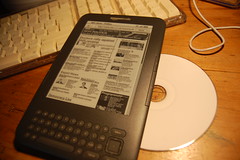
More Kindle finds & features

More Kindle 3 features

Found a few more things out about the Kindle 3 today:

  • You can choose, navigate and skip around MP3 files by putting them in the ‘Audible’ folder – so you can have MP3 audio books. Or, presumably, music.
  • You can do a screengrab by pressing Shift+Alt+G – it puts a GIF in the root folder.
  • There’s a hidden Connect 5 and minesweeper game – Shift+Alt+M
  • There is a hidden image viewer. To use it, you have to make a folder called ‘pictures’ in the root and your images must be in named sub-folders. The folders then show up in the main home menu list of items – you may need to press alt-Z to rescan the folders. Apparently, on previous Kindles Alt-shift-O used to add a picture as a screensaver. I tried it on the Kindle 3 and a bar like a ruler scaled from 1 to 9 appeared at the bottom of the screen. I couldn’t work out how to use this, if it has any function – perhaps this is something to do with the order of screensaver images? Or maybe it’s just a ruler!
    Interestingly, using the image browser puts ‘.manga’ files in the images’ directory, suggesting there was, at one time, a comic-reading function planned for the Kindle.
  • You can enter numbers using Alt plus the top row on the keyboard. This means…
  • You can enter the magic 3 digit codes. Go to the home menu, then settings. Using alt and the top row you can enter codes like 311 to switch carrier (I cancelled this pretty quickly!). Code 126 used to list the developers at Lab126 who designed the Kindle, but I couldn’t get this to work on the Kindle 3.

Useful links

Neat Kindle 3 review – so much better than mine: http://paulstamatiou.com/review-amazon-kindle-3-wi-fi-reading-device

Kindle 3 keyboard shortcuts: http://blog.the-ebook-reader.com/2010/08/29/kindle-3-shortcuts-hot-keys-and-hidden-features/

Guide to hacking previous models of the Kindle: http://igorsk.blogspot.com/2007/12/hacking-kindle-part-3-root-shell-and.html

Kindle 3 tear-down. Well, this rather excitable antipodean gentleman took the cover off and filmed it, which is more than I’ll be doing. The mysterious socket on the left is just where you plug in the cover with the built-in lamp, so don’t get excited. It’s no iMac mezzanine slot.
http://www.eevblog.com/2010/09/03/eevblog-109-amazon-kindle-3-3ggsmwifi-6-teardown/

Posted in computers | Tagged , | 5 Comments

Amazon 3G Kindle first impressions

Kindle displaying BBC News web page

I finally got my Amazon Kindle today – here are my first impressions. It’s my first electronic book-reader – partly because it’s the first one to come up to snuff, but I also bought it because I was intrigued with the technology, the free 3G connection – and the low price tag. At that price, it would have been rude not to…

Display

The display is just stunning. I have to confess that when I got it out of the box, I tried to peel what I thought was a printed instruction label off the front of the unit. It wasn’t a printed label – it was the display actually working. The electronic ink technology really is fantastic.

It was much smaller than I expected, but that’s no bad thing… the size of paperback, only thinner. Crucially, it fits in my inside jacket pocket.

I bought it via my Amazon account, so it came pre-registered and knew who I was – which was nice. I have the 3G version which downloaded a few free books (Sherlock Holmes, natch) pretty quickly – though the choice of free books is a bit puzzling at first glance. I can get Pride & Prejudice for free, but I have to pay for Emma? Odd. I guess there may be ways round that.

Power

Charging is via the usual USB charger – a neat small mains plug with the Amazon logo. The lead that plugs into the Kindle itself has a USB micro B plug on it. It took about an hour to charge it fully, but I was able to pay with it while it charged up. I am quietly confident the battery life will put my iPhone to shame.

Get connected

Getting it hooked up by wifi was a bit trickier – mainly because my wireless LAN password has numbers in it, and there is no numerical keypad; you have to press the symbol key and navigate with a cursor to enter numbers. Very fiddly, but once I’d managed to type the right password in it connected to my wifi router straight away. You can manage wifi connections much as you can on a laptop or iPhone, and when it loses a wifi connection, the 3G model will revert to Vodafone 3G, EDGE or GPRS. My iPhone’s 3G coverage on O2 is pretty ropey, so it’ll be interesting to compare – the main question being whether it’ll work on my desk at work.

It comes with the Oxford American English dictionary, but while playing with it I noticed there’s an Oxford British English dictionary as well, which you can make the default resource for looking words up as you read. Having a decent dictionary always to hand is very neat – I wish OS X had a British dictionary.
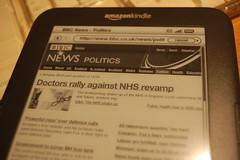
Kindle displaying BBC News web page

Web-browser

Then I had to crank up the web browser. This was actually much better than I expected, but this really is where the lack of a trackpad or a touch screen becomes noticable. You have to navigate using the small 5 way cursor arrangements, which hops between links on the page.

The BBC News web site and Twitter were perfectly usable, if a bit fiddly. The keyboard is tiny and a bit prone to bounce. No-one will be writing long notes or emails on this device – it’s just about ok for a tweet, but my iPhone is much more usable for this. Pages render quite slowly, which is a limitation of the display technology I suspect – but when you zoom in, they look pretty good. Photographs are rendered in a pretty impressive, crisp greyscale.

I hope they continue to develop the browser, because with free contractless 3G internet, I think this is actually a very handy resource – especially when the Kindle wants to charge you a quid or more a month just to download a blog.

MP3 player

The music player sounds very good out of the tiny speakers – you just drag MP3s from your computer into the ‘music’ folder on the Kindle – but it just plays songs in its own order (not sure how it decides) without telling you what they are. You can skip to the next track and turn it on and off while you read, but I think that’s the only control. There don’t seem to be any playlists. I wonder if that’s to discourage you from listening to MP3 audio books rather than paid-for Audible content? They call it ‘background music’, so I’ll probably just be transferring my Durutti Column and Jan Gabarek CDs. Just joking. Well, about Jan Gabarek.

Ooh the screensaver just kicked in – a photo of one of my favourite writers, Virginia Woolf, just appeared. Did it know? Pity there are no free Virginia Woolf books now she’s out of copyright…

Getting stuff on and off again

When you plug the Kindle into a computer it becomes a USB drive and you can’t use the Kindle itself (unless you eject it from the computer, in which case it’ll carry on charging). You can copy files on and off – so it’s more open than an Apple device – but, as I then discovered, it’s not as open as it first seems.

As an experiment, and without reading the instructions, I dragged 5 text files at random from my laptop into the Kindle’s document folder: a plain text TXT file, a PDF, an RTF-formatted document, an HTML text document and an ePub-formatted ebook I had made myself. Only the plain TXT file and the PDF showed up on the Kindle. Navigating PDFs is more difficult than reading plain text or Kindle-formatted books, as the text keep’s the document’s original formatting and pagination and cannot easily be made larger or smaller.

It can read documents in other formats like RTF, Word documents and HTML, but they have to be converted by a slightly odd process that involves emailing them to your Amazon account’s email address – and there can be charges for this conversion process if they go via 3G rather than wifi. I still need to get to grips with this, but I’m a bit disappointed it can’t seem to read an RTF or HTML file transferred directly.

You can avoid charges in two ways – always send them to a special @free.kindle.com address which will only transmit the document over wifi (not 3G), and set your maximum charge limit to £0.00. I do both. A sample RTF document arrived quickly, but I wish I could just drag and drop, especially as I use the RTF format a lot for my own writing (in the excellent Bean OS X word processor). The formatting of the original document wasn’t completely intact either – the Kindle only has a couple of fonts built in, but it knew which bits of the document were serifed and which bits sans-serif. Tabbed indents at the start of each paragraph didn’t make it across though – I’ve had this problem with eBook formats and Blurb books before. I don’t understand what’s so tricky about a single bloody tab indent!

I cranked up the Kindle app on my iPhone and found the books I’d downloaded from Amazon waiting to be loaded onto my phone – but none of the documents I’d transferred myself.

More thoughts as I play and fiddle… and maybe even do some reading ;-)

Posted in computers, fiction, literature | Tagged , , | Leave a comment

Will you sign my Kindle?

King of the AntsThe other night I ordered a 3G Kindle. I admit, it was late, I was bored… but in the cold light of day I’ve still not cancelled the order.

I’ve never hankered after an electronic book reader before – this will be my first. Partly it’s the price – a sense that, like my Nikon D40 camera and my Lenovo S10-2 netbook, ‘at that price it would be rude not to’. Partly it’s the free 3G aspect. Partly the technology – the idea of this gizmo with electronic ink that consumes so little power. And partly it’s because it’s not made by Apple, and I feel I am sticking it to The Man – The Man in this case being Steve Jobs, whose empire is becoming increasingly cult-like in its marketing and whose beautiful toys are just too eye-wateringly expensive. (Disclaimer: I do own an iPhone 3GS – which I love and use all the fricking time.)

Also, I read a devil of a lot more nowadays than I did even five years ago. I’m not sure why. But physical books are swamping our house again, and I can never bear to part with them. I box them up to sell at boot fairs, and then end up picking out half deciding I want to keep them after all. And I always buy more books at boot fairs anyway.
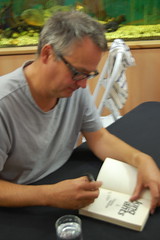
DSC_8783.JPG Yesterday my sons and I got a handful of Charlie Higson books signed by the author at Foyles bookshop in London. Charlie pulled a copy of his new book, The Dead, out of a tank of rather shy piranhas. It was a nice event and, as at Camp Bestival, he took loads of time to chat to everyone and sign anything they brought along, and pose for photos.

I asked him “do electronic books spell the end of book signings? Would you sign my Kindle?” He said no, he thinks people like a physical object, physical books will survive. The lady from Foyles joked that when they had Stephen Fry in, they thought they might have people wanting their iPads signed, but she thought as well that events like book signings will help keep the printed word alive.

I’m not so sure. Music and photography have almost entirely ‘gone digital’ now, and as electronic book technology improves – and the new Kindle is the first one that comes up to snuff as far as I’m concerned – wouldn’t it be a foolish person who didn’t bet the farm on the written word eventually going the same way?

Posted in Apple, fiction, literature, thrift | Tagged , , , , | 8 Comments

Crap Book Club

Having been amazed by the popularity of the Stieg Larsson Millennium trilogy, given how badly-written and even badly-plotted the books are, I’ve decided I want to start a Crap Book Club.
We could read a popular book and then have some fun slagging it off online or over a drink. For example: what’s the worst or most ludicrous bit of Stieg Larsson? The lengthy description of the tech specs of Salander’s iBook gets my vote for worst bit of writing, and Salander’s boob job is the worst plot development. I mean – she would never do that! I was screaming “Stieg, go back and read book 1 and take notes about Salander’s character and try again.”
I guess anyone can slag off a blockbuster, so extra kudos goes to books which are critically acclaimed, but are, in fact, crap.
Here are some suggestions I’ve already had for a reading list – more please!

  • The Millennium Trilogy by Stieg Larsson
  • The Da Vinci Code by Dan Brown
  • Restless by William Boyd
Posted in fiction, literature | Tagged , , , | 5 Comments

Monologue of Evil

I’m mulling over writing another book – this one will be a proper grown-up book and one of the themes will be Good and Evil and whether they are two sides of the same coin. And then I just accidentally read this:

The Monologue of Evil by Augusto Monterroso

One day, Evil found himself face-to-face with Good and was on the point of eating him up to put an end to their ridiculous dispute once and for all. But when he saw him looking so tiny, Evil thought:

“This can only be a trap. If I now eat up Good when he looks so weak, people will think that I did evil, and the shame will make me cringe and shrink so much that Good will not waste the chance to eat me up, with the difference that then people will think that he did good. For it is difficult to free them from their preconception that what Evil does is evil, and what Good does is good.”

And so it was that Good got off scot-free yet again.

Posted in fiction, literature, recently read | Tagged , | 1 Comment