Is it wrong to wish on space hardware?

1.gif

…in the words of Mr William Bragg.

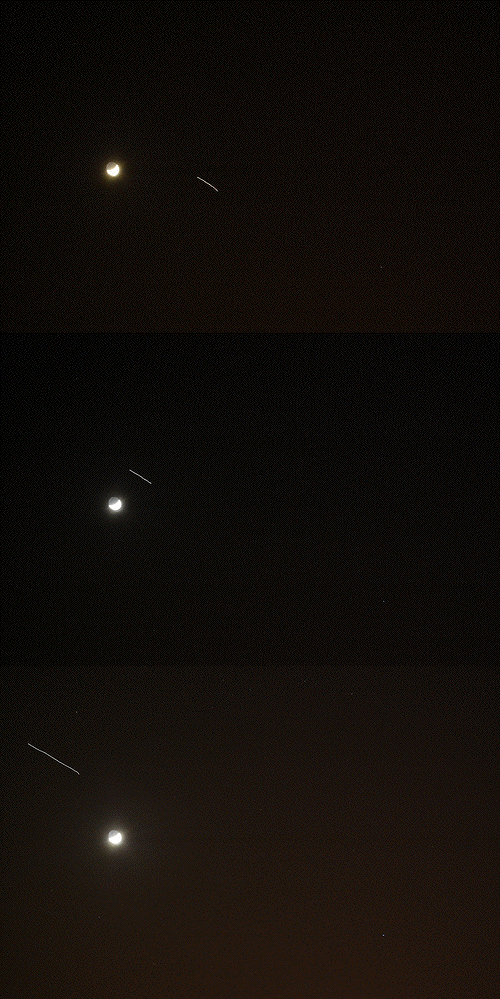
We were walking home tonight and saw an amazingly bright satellite tracking across the sky, far brighter than any I’ve seen before. And I’ve seen a few – I love watching bits of space hardware scooting silently across the night sky.

Back home I found a neat web site – http://www.heavens-above.com/ – that allows you to enter your location and get predictions for the brightest satellites, including star and ground maps of their trajectory.

The really bright one we saw turns out to have been the International Space Station, which is pretty cool. The kids were impressed, for a minute or two…

I’ve just done some more reading and noticed two things:

  • According to their daily schedules, the astronauts spend an awful lot of time ‘formatting PCMCIA cards’ – maybe it’s code for having a dump.
  • The ISS is currently docked with the Space Shuttle Atlantis, so maybe that’s why it was so incredibly bright tonight

Posted in children, internet | 3 Comments

Bad Egg

Credit card company egg say they are ditching 161,000 customers with poor credit ratings.

But it looks like that’s a lie – if the comments on the BBC web site and on the Radio 4 Today programme are anything to go by, they’re ditching the customers who pay their bills off every month (making no money for egg) and keeping the ones who pay interest.

Bad egg.

Posted in Uncategorized | 1 Comment

Messages! From Outer space!

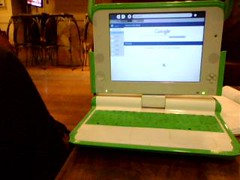
OLPCI finally got to play with a pukka One Laptop Per Child laptop on Friday. I’d heard sniffy things about it, and indeed I bought an Asus eeePC for myself as you can’t buy the OLPC in the UK. I expected to be unimpressed, but it’s a very nice machine – and the display is brilliant. Turn the backlight off and you get a very, very crisp monochrome display that can be read in direct sunlight. It even folds back on itself to become an ‘ebook’-style tablet. The OLPC and my eeePC made a very sweet couple sitting side-by-side.

I got to play with one thanks to Tom Hannen in the BBC World Service, and good luck to him in trying to get folk there to do something for it – it should be right up the World Service’s street. He’s written a great little Speak and Spell toy for it, and I fancied having a go at writing a simple program myself. So I’ve been messing around with emulators – sadly it’s too slow to be useful on my old Apple G4 PowerBook, but I got it to fairly fly on a WindowsXP laptop which can take advantage of having an Intel / X86 processor.

This is a bit odd, though… check out these weird symbols that appear VERY briefly twice when you shut down the OLPC. It’s like something out of Lost:
olpc warning

Posted in computers, Linux, OLPC, Sugar, thrift | Leave a comment

Setting the Asus eeePC clock using NTP


For some mad reason the Asus eeePC doesn’t have any option to set its time and date using an NTP server – not even when running in the advanced desktop mode.

Here’s a quick way to add the function if you are running in advanced mode. You don’t need to install any software – the command line tool you need is called ‘rdate’ and it’s already on your eeePC.

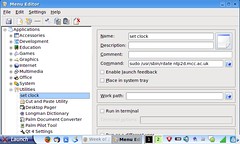
In your advanced desktop, go to the Launch menu, Applications > System > Menu Editor. Expand the Applications list and highlight Utilities. Click on File > New Item.

In the name box type something like ‘Set clock’ and in the Command box enter something like this:

sudo /usr/sbin/rdate ntp2d.mcc.ac.uk

replacing ‘ntp2d.mcc.ac.uk’ with your local NTP server of choice (I picked my alma mater for sentimental reasons rather than geographical proximity…)

Untick the ‘Enable launch feedback’ box and save and close. It should then do some system updates and then you should see a new item in your Launch menu under Applications > Utilities that when you click on it, updates your eeePC’s system clock. Now why couldn’t Asus have just left the NTP option alone in its Xandros version of Linux?

Posted in Asus eee PC, computers, Linux, Xandros | 2 Comments

Phew!

As an Apple fan who recently bought a tiny Asus eeePC laptop, I was frankly dreading today’s MacWorld Expo. Everyone seemed to be saying that Apple would also be bringing out a tiny laptop too. I could only hope it would cost a shade more than the £200 my Asus cost me.

Well, yes. Just a mere £1000 more than that. You can buy 6 eeePCs for the price of one MacBook Air.

Phew.

Oh, and unlike the eeePC, the MacBook Air has no ethernet socket, no microphone socket and only one USB socket (the eeePC has three). The eeePC weighs 920g to the MacBook Air’s 1.3kg. Both have built-in webcams and microphones. And I don’t see an SD card socket in the Apple gizmo…

I can’t really see who the MacBook Air is aimed at. PowerBook/MacBook Pro users are going to find its lack of connectivity a bit of an issue – I mean what’s the use of iMovie when there’s no freaking Firewire socket? Don’t know about you but none of my camcorders has super-fast wireless connectivity… And most other users are going to choke on the price tag, even if it does have far more storage than my eeePC and a much bigger display. But it’s the small footprint of the eeePC that makes it so appealing to me – I don’t care how thin it is, I just want to be able to rest it inconspicuously on my knee on the train.

Posted in Apple, Asus eee PC, computers | 10 Comments